A microcomputer – what is it and what can you do with it?
Shopping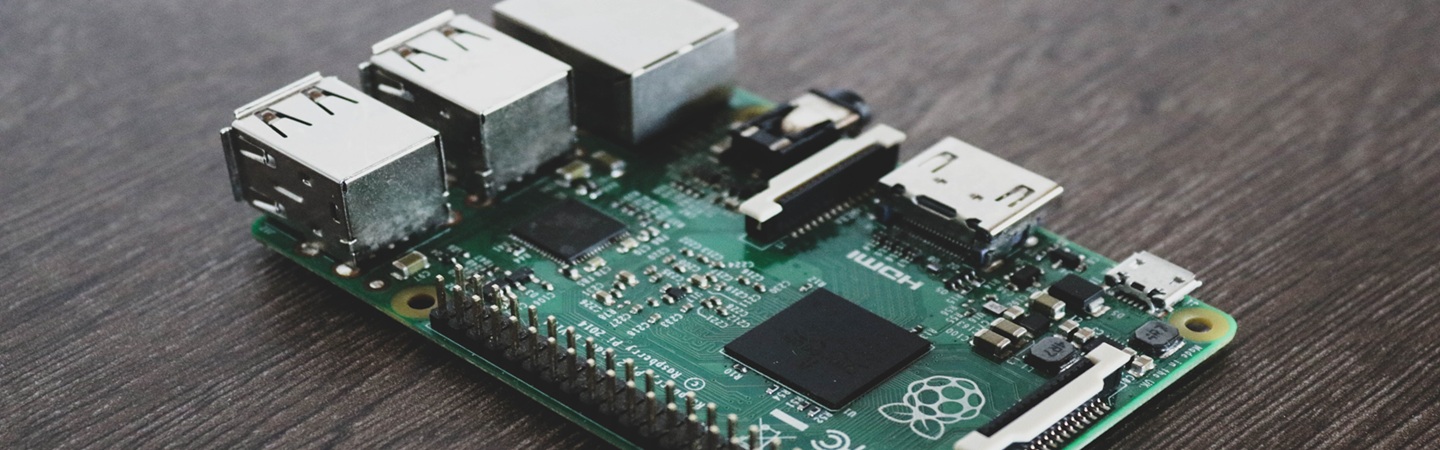
AI-generated texts
AI-generated texts
31 August 2026
Behind the term ‘microcomputer’ lies a surprisingly simple and affordable piece of kit – a credit-card-sized board on which you can set up your own server, a retro games console, or start learning to programme. We explain exactly what a microcomputer is and what it’s used for.
What exactly is a microcomputer?
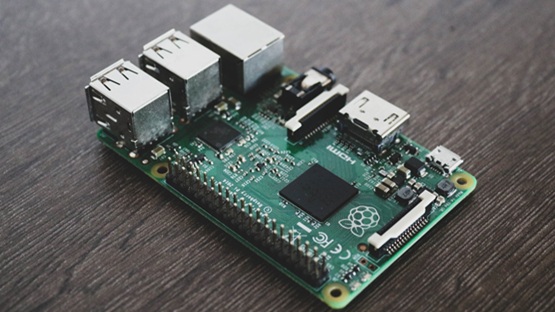
Microcomputer, more commonly known as an SBC (single-board computer), is an entire computer fitted onto a single small board – complete with a processor, RAM and ports such as USB, HDMI and Ethernet. The best-known example is the Raspberry Pi, but there are also other models available on the market, such as the Orange Pi and the Banana Pi.
It is worth distinguishing between a microcomputer and a microcontroller, such as an Arduino or an ESP32. A microcomputer has a full operating system (usually based on Linux) and works like a miniature general-purpose computer. A microcontroller does not have an operating system – it executes a single programmed process in a loop, usually to control sensors or motors. The two types of devices are sometimes confused, but they are suited to different tasks.
How does a microcomputer differ from an ordinary computer?
A microcomputer is smaller, much cheaper and uses significantly less power than a laptop or desktop computer, but it also has a less powerful processor and less memory. The package does not include a case, keyboard, monitor or power supply – you’ll need to buy these separately or connect your own. The operating system is not installed from a hard drive, but from a microSD card.
The biggest advantage of a microcomputer is its GPIO pins – connectors through which you can connect sensors, LEDs, motors and other electronic components. A standard laptop does not offer this, which makes a microcomputer the natural choice for projects combining programming with hardware.
 Dowiedz się więcej
Znajdź najlepsze oferty w kilka sekund z Von Halskim - asystentem zakupowym w apce InPost Mobile. Odkryj produkty dopasowane do Twoich potrzeb i oszczędzaj na dostawie.
Von Halsky węszy okazje. A Ty? Wiesz już, czego szukasz?
What can you do with a microcomputer?
There are really many uses:
- a home media centre that plays films and music on the TV,
- a private file server – your own ‘cloud’ with no monthly fees,
- an ad blocker that works across the whole home network,
- a retro-gaming station that emulates older consoles,
- home automation – control of lighting, sensors, cameras,
- a gaming server, e.g. your own Minecraft server,
- electronics projects and initiatives that combine code with hardware,
- learning to programme and the basics of Linux.
Which microcomputer should you choose for learning to programme?
For learning to programme The most popular choice is a model from the Raspberry Pi range – it has a huge community, plenty of free courses and educational resources, and Python runs on it straight away, without any additional configuration. If you’re planning to use a full system with a graphical user interface, it’s worth choosing a version with at least 2–4 GB of RAM – less memory is usually only sufficient for simpler, text-based projects.
Starter kits for beginners often include a case, a power supply and a microSD card with the operating system pre-installed, which makes it easier to get started without having to search for each component separately.
However, if you just want to learn programming itself, without the electronics or Linux, a standard laptop or an online environment will be more than enough. Microcomputer It makes sense if you want to learn a bit more along the way – about system administration, working in the terminal and connecting your own hardware to the code.
What other equipment do you need to get started?
For the basic setup, you will need: a power supply with sufficient wattage, a microSD card with the operating system pre-installed, a case and cooling – even a small heat sink or fan helps to maintain stable operation under load. An HDMI cable, a monitor and a keyboard with a mouse will also come in handy for the initial setup, although experienced users often set up the microcomputer ‘headless’ – without connecting a monitor, remotely via the network.


Which microcomputer should I choose?
It all comes down to what you want to do: for learning to programme and for simple projects A basic model with a small amount of RAM is sufficient; for more demanding applications – multimedia, servers or retro gaming – the version with more memory and a faster processor will perform better.
Where can I buy a microcomputer?
You don’t have to compare all the available models and accessories yourself. Von Halsky, The shopping assistant in the InPost Mobile app will search through the offers and suggest options tailored to your needs. Simply describe what you need the microcomputer for – for example, "a microcomputer for beginners to learn programming, complete with a case and power supply" – and By Halsky will help you find and compare suitable offers.
FAQ: Frequently Asked Questions about microcomputers
Will a microcomputer replace a laptop?
It’s not usually suitable for everyday office work or browsing the internet – it’s slower and less user-friendly. However, it works brilliantly as an additional device for specific projects, as a home server or for studying.
How does the Raspberry Pi differ from the Arduino?
The Raspberry Pi is a microcomputer with a full operating system that can run multiple programmes at once. The Arduino is a microcontroller without an operating system, designed to perform a single programmed task, usually involving the control of sensors or motors.
Does a microcomputer need a monitor?
To begin with, this is usually done to set up the system and configure the basic settings. After the initial setup, many projects run ‘headless’ – that is, without a monitor connected – and are managed remotely via the network.
Does studying on a microcomputer require knowledge of Linux?
It doesn’t happen straight away, but whilst working with a microcomputer, you usually pick up at least the basics of the Linux system, as it is the one most commonly used on this type of device. It’s an additional skill that you acquire, as it were, whilst learning to programme.