Document scanner – what should you look out for?
Shopping
2 November 2026
A good document scanner should not only produce a clear image, but also genuinely speed up your day-to-day work. When choosing one, it’s worth comparing the scanning speed, resolution, automatic document feeder, duplex mode, recommended daily workload and OCR accuracy. Read on to find out which specifications are most important and how to choose a scanner based on the number and type of documents you process at home or in the office.
How do you choose the right performance and specifications for a document scanner?
A document scanner is used for converting paper invoices, contracts, forms and letters into digital files. The key parameter determining its performance is PPM scan speed, i.e. the number of pages processed per minute. With a small number of documents, a dozen or so pages per minute will suffice, whilst in a small business it is worth considering a faster model designed for regular use.
The second important parameter is daily load limit. It specifies the number of pages the device can process without causing excessive wear and tear on the mechanism. For a home office, a model designed for several dozen or several hundred scans a day. In a company that handles invoices, contracts and correspondence, the limit should be set higher accordingly.
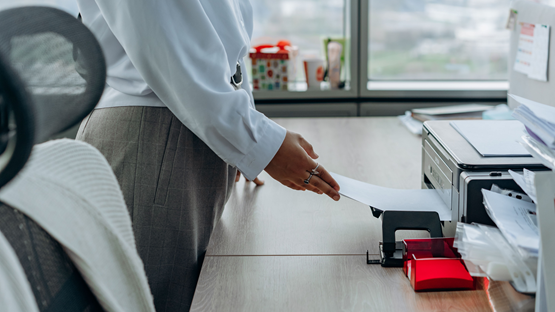
It is very important that ADF document feeder, which automatically feeds the pages one by one. This allows you to insert a whole stack of documents rather than placing each page manually on the glass. The capacity of the feeder should be adjusted to suit the typical size of a batch of documents.
When making your choice, it’s also worth checking power supply method. A network scanner that plugs into a mains socket is usually more efficient and better suited to desktop use. A USB-powered model may be more portable, but often works more slowly and has a smaller hopper.
It is also important that optical resolution (DPI). For ordinary text documents, 300 dpi is usually sufficient. Higher resolutions are useful for small print, photographs, technical drawings and archiving that requires a high level of detail.
Reliability is influenced by condition of the feed mechanism. A worn or dirty feed roller may feed several sheets at once or cause paper jams. It is therefore worth checking the availability of consumables and maintenance recommendations before making a purchase.


Scanner resolution – 300 or 600 dpi?
For invoices, contracts and standard letters, this is usually sufficient 300 dpi. This level of quality ensures legible text, accurate OCR results and a reasonable file size. Scanning at 600 dpi It increases the level of detail, but at the same time takes longer to process and takes up more disk space.
A higher optical DPI makes sense when very small print, stamps, old documents, photographs and materials intended for further processing. In everyday office use, the difference between 300 and 600 dpi may be barely noticeable.
The type of sensor is also important. CIS sensor It is compact, energy-efficient and works well with flat documents. However, it has a shallower depth of field, so it does not reproduce creased sheets of paper and book spines as well.
CCD sensor It offers greater depth of field and generally better detail reproduction. However, it is more expensive, larger and more commonly used in photographic scanners and professional flatbed scanners.
Flatbed or roller scanner – which design should you choose?
A flatbed scanner has scanning glass, on which the document is placed. It is suitable for books, identity cards, photographs, crumpled sheets of paper and materials that cannot be fed through the rollers.
A roller scanner, also known as a slit scanner, moves the document over the sensor using a feed mechanism. It is faster and better suited to the bulk processing of loose sheets.
The flatbed model is a good choice for various types of materials and delicate documents. Slotted design It will be more suitable for an office where large batches of invoices, contracts and correspondence are regularly scanned.
Single-sided or double-sided scanning – duplex?
Mode simple It scans only one side of the page. A double-sided document must therefore be turned over and fed through the machine again.
Module duplex It allows both sides to be scanned in a single pass. This significantly speeds up the digitisation of invoices, contracts and multi-page forms, and reduces the risk of a page being missed.
Automatic A duplex printer is particularly useful where a digital document workflow is in place. It reduces the need for manual handling and enables complete files to be transferred more quickly to the archive or the company’s system.
 Dowiedz się więcej
Znajdź najlepsze oferty w kilka sekund z Von Halskim - asystentem zakupowym w apce InPost Mobile. Odkryj produkty dopasowane do Twoich potrzeb i oszczędzaj na dostawie.
Von Halsky węszy okazje. A Ty? Wiesz już, czego szukasz?
What is the OCR function on a scanner used for?
OCR, which stands for optical character recognition, converts an image of a scanned document into text that can be searched, copied and edited. Without this feature, a scan of an invoice or contract remains merely an image.
OCR technology enables the creation of searchable PDF files. This makes it possible to quickly find an invoice number, a customer’s name or a specific clause in a contract without having to manually browse through every page.
When storing documents for the long term, it is advisable to use PDF/A file format. It is designed for archiving and reduces the file’s reliance on external fonts or elements that may become unavailable over time.
A modern document reader can automatically recognise text, straighten pages, remove blank pages and save files according to a set naming convention. Some devices upload documents directly to the cloud, a network folder or an accounting system.
Such digitisation systems streamline the digital workflow of documents and reduce the time needed to catalogue paper documents manually.
A dedicated scanner or a multifunction device?
A dedicated document scanner is designed primarily with the following in mind: the rapid processing of large numbers of sheets. It usually offers higher speeds, a larger paper tray and more effective detection of multiple-sheet feeding than a multifunction device.
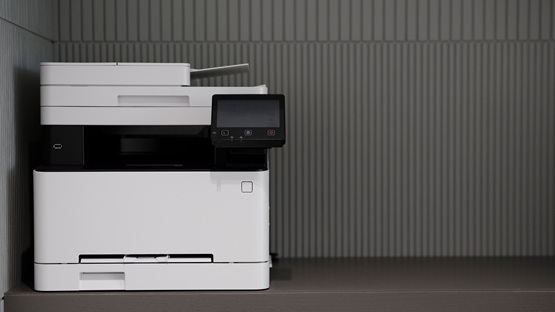
The multifunction printer combines scanning, printing and photocopying. It takes up less space than several separate devices and is convenient for light to moderate loads.
| Parameter | Dedicated scanner | Multifunctional device |
|---|---|---|
| PPM speed | usually higher | usually lower |
| ADF capacity | often greater | usually smaller |
| Wi-Fi | available on selected models | often available |
| Universal Serial Bus | standard | standard |
| Ethernet | common in office models | depends on the version |
| Power supply | usually network-based, sometimes USB | usually network-based |
| Rank | a small, specialised enclosure | larger multifunctional housing |
Before buying a scanner, it is worth checking how the interface works and TWAIN driver. It enables the scanner to work in conjunction with accounting software, archiving programmes and document management systems.
To connect an office scanner via Wi-Fi, you need to connect it to the network using the device’s control panel or the manufacturer’s app, and then install the device driver on the computers. In a business setting, an Ethernet connection is generally a better option, as it is usually more reliable.
A dedicated scanner is worth choosing for the regular digitisation of a large number of documents. A multifunction device will be more practical when the workload is lighter and the need to combine scanning with printing and photocopying.
How can I prevent paper jams in the scanner?
The most common causes of jams are staples, paper clips, crumpled corners, damp pages, dust and worn-out feed roller. Before inserting the documents, separate them, align them and remove any metal items.
The ADF document feeder should be filled in accordance with the manufacturer’s limit. Too many pages or incorrectly positioned guides increase the risk of several sheets being fed at once.
The rollers should be checked regularly clean with a soft, lint-free cloth and the product recommended by the manufacturer. If, despite cleaning, the paper continues to slip or jam, the part may need replacing.
How do you choose a scanner?
If you don’t want to compare lots of similar models manually, the shopping assistant in the InPost Mobile app, By Halsky, will help you narrow down your choice of scanner to suit your specific needs. Tell him your budget, the type of documents you scan most often, and the features that are important to you. Von Halsky will find the most suitable suggestions, compare prices and specifications, and sort the results according to the specified criteria.
For example, you could ask him to find a scanner with:
- an automatic document feeder,
- double-sided scanning,
- at a specified operating speed,
- high resolution,
- OCR software,
- features suitable for use at home or in the office.
You can also ask about alternatives and add any models you’re interested in to your favourites, so you can easily come back to them before making a purchase.
Frequently Asked Questions
Why should a small business go paperless?
A digital archive reduces the costs of document storage and makes it quicker to find the information you need. The company gains more space, easier access to files whilst working remotely, and reduces paper consumption. Scanned documents can also be integrated with your existing invoice or contract management system.
Which document scanner is best suited to a home office?
A compact Wi-Fi-enabled scanner or a USB-powered portable model is well suited to a home office. If you have a larger volume of documents, it’s worth opting for an ADF and double-sided scanning. The final decision depends on the number of pages processed each day and the type of material being scanned.
What is the best format for saving scanned documents?
For archiving letters and invoices, a PDF with a text layer created by OCR works best. It allows you to search for information within the file. JPEG or PNG are better suited to photographs and graphics. PDF/A is worth using for documents intended for long-term storage.
Do you need a separate scanner for large formats?
Standard devices usually support the A4 format. A3 plans, diagrams and drawings require a larger flatbed scanner or a large-format device. Architectural and design offices use dedicated wide-format scanners. If the need arises only occasionally, a document can be scanned in sections and the images merged using software