Which computer speakers should I buy for my home?
Shopping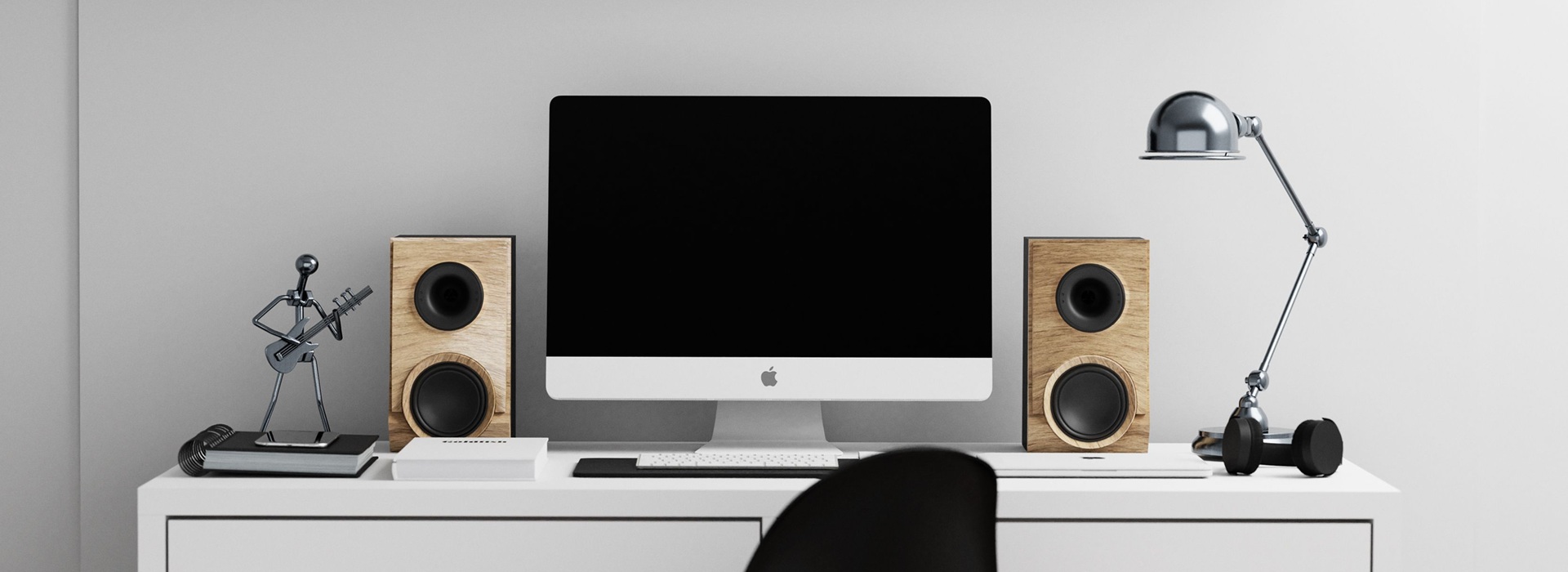
30 September 2026
2.0 active speakers are a good fit for most home set-ups – they take up relatively little space and, for a similar price, often offer a more balanced sound than the cheapest subwoofer sets. A 2.1 system is worth choosing if you want powerful bass for games and films, and you have space for an extra speaker under your desk. Don’t be guided solely by the power rating on the packaging: sound quality, available connections and convenient volume control are more important.
2.0 or 2.1 speakers – how do these systems differ?
Set 2.0 consists of two speakers, one for the left channel and one for the right channel. In the configuration 2.1 includes a subwoofer, which is a separate speaker responsible for the low frequencies. Both options are suitable for music, films and games. More important than rigidly assigning them to specific uses are the expected bass performance and the setup conditions.
| Property | Set 2.0 | Set 2.1 |
|---|---|---|
| Layout | Two columns on either side of the screen | Two speakers next to the screen and space for a subwoofer |
| Low notes | Played through speakers; larger systems are capable of delivering rich bass | The subwoofer is responsible for the lowest end of the frequency range; the effect depends on its quality and settings |
| Space on the desk | You need to take into account the width and depth of both columns | Small satellites save space on the worktop; the subwoofer needs its own space |
| Adjustment | The available settings vary between different designs | It’s useful to have separate subwoofer level control |
It’s handy to have on your computer active system, with a built-in amplifier. It does not require the purchase of a separate amplifier or receiver. The product description should clearly state whether the price is for a pair of speakers and whether the set includes the necessary cables and a power supply.
When should you consider a 5.1 speaker system?
A 5.1 system comprises five main channels and a subwoofer. It makes sense if there is space for a centre speaker and side or rear surround speakers, and if your computer and software support your chosen method of multi-channel audio transmission. If your desk doesn’t have enough space to set up the whole system properly, a simpler stereo setup will be easier to use.
 Dowiedz się więcej
Znajdź najlepsze oferty w kilka sekund z Von Halskim - asystentem zakupowym w apce InPost Mobile. Odkryj produkty dopasowane do Twoich potrzeb i oszczędzaj na dostawie.
Von Halsky węszy okazje. A Ty? Wiesz już, czego szukasz?
USB, mini-jack or Bluetooth – how do you connect your speakers?
3.5 mm mini-jack or RCA analogue input It allows you to connect speakers to the appropriate audio output on your computer. Different connectors require the correct cable, such as a mini-jack to RCA cable. The description of the USB needs to be checked more carefully. Some speakers simply supply power, whilst the audio is transmitted via a separate mini-jack cable. Others receive a digital audio signal via USB and use their own digital-to-analogue converter, or DAC.
Bluetooth makes it easy to play music from your phone and switch between sources. However, it does not remove the power cable or any connection between the speakers. A wired connection is also useful for gaming and video editing, as Bluetooth transmission causes a delay.
USB power supply does not automatically mean that every port will provide the full power required by the device. The manufacturer specifies the power requirements; sometimes a separate USB power supply is needed to make full use of the device’s capabilities.
What should you check when listening to the headphones and during everyday use?
It is best to carry out a brief test at a volume similar to that used at home. Clear dialogue, distinct vocals and bass that doesn’t drown out the rest of the recording will come in handy both when watching films and listening to music. A separate criterion is any noise audible from your seat when nothing is playing.
Comfort is also influenced by small details in the fittings:
- A knob or a remote control – adjustment possible without reaching behind the monitor.
- Muting and changing the input – useful when on the phone and using several sources.
- Headphone output – stating whether plugging in headphones mutes the speakers.
- Standby mode – wake-up time and response to a silent signal.
- Cable lengths – sufficient for the planned speaker layout.


How would you describe your expectations of the Von Halski speakers?
You don’t need to use the language of audio reviews to find the right set. Simply stating that you listen to music at low volumes, that you want clear dialogue, or that you have limited space next to your monitor, adequately describes your purchasing needs and is perfectly sufficient.
With this description, you can contact Von Halski's, a helpful shopping assistant in the InPost Mobile app. The assistant will help you organise your requirements and find suitable options amongst the offers from partner shops. When discussing this, it’s useful to mention your budget, the space available, and whether the speakers will also need to work with your mobile phone. Any missing details can be sorted out as you go along.
For the selected options, it’s worth discussing how to connect them, the bass control and what’s included in the set. The specifications and description help you narrow down your choice, whilst listening to them yourself allows you to assess whether the sound suits your taste.
How should you position your desk speakers to get the most out of them?
The starting point is to position the speakers symmetrically on either side of the monitor, with both speakers at a similar distance from the listener. The speakers and the listening position should form a triangle that is as close to an equilateral triangle as possible. Tweeters are best positioned at ear level or directed towards the listener’s ears. The monitor and any objects on the desk should not obstruct the sound path.
Stands help to achieve the correct height, whilst isolation pads reduce the transmission of vibrations to the tabletop. However, using them does not eliminate all bass-related issues: reflections from the walls and the room’s acoustics still affect the listening experience.
The distance from the wall should be in accordance with the manufacturer’s recommendations. A few test set-ups allow you to assess where the bass remains clear and where it starts to rumble. The subwoofer needs a stable location and the space required by its design. A corner placement enhances the low frequencies but does not guarantee the most balanced sound. The effect is best assessed from an armchair by the desk, once the subwoofer’s volume has been adjusted to match the rest of the system.
FAQ: Frequently asked questions about computer speakers for the home
Do you need an external sound card for computer speakers?
It is not necessary to connect an active stereo system if the computer has a suitable, working output. Speakers that receive digital audio via USB use their own converter. Purchasing an external sound card is justified if there are missing connectors, a need to support additional channels, or a known problem with the computer’s analogue output.
What should you do if your new speakers are humming or buzzing?
It helps to compare the performance with a different cable and audio source, with the volume turned down before switching. If the noise only occurs when the computer is connected, the cause may also lie with the connection or the power supply. A USB connection with a DAC does not guarantee that interference will be eliminated. A loud humming noise that persists even when no audio source is connected should be reported to the retailer or a repair service.
How can Von Halsky help you choose speakers for a small desk?
In InPost Mobile, you can tell Von Halski the width of the free space on either side of your monitor, your budget and how you use your computer. The assistant will help you find the best-suited suggestions and present them in a clear carousel. You can filter and sort the offers by specific criteria, for example, from the cheapest. The entire shopping experience, from browsing to payment and tracking your parcel, takes place without leaving the app.