Getting started with a 3D printer – how to get started and avoid mistakes?
Shopping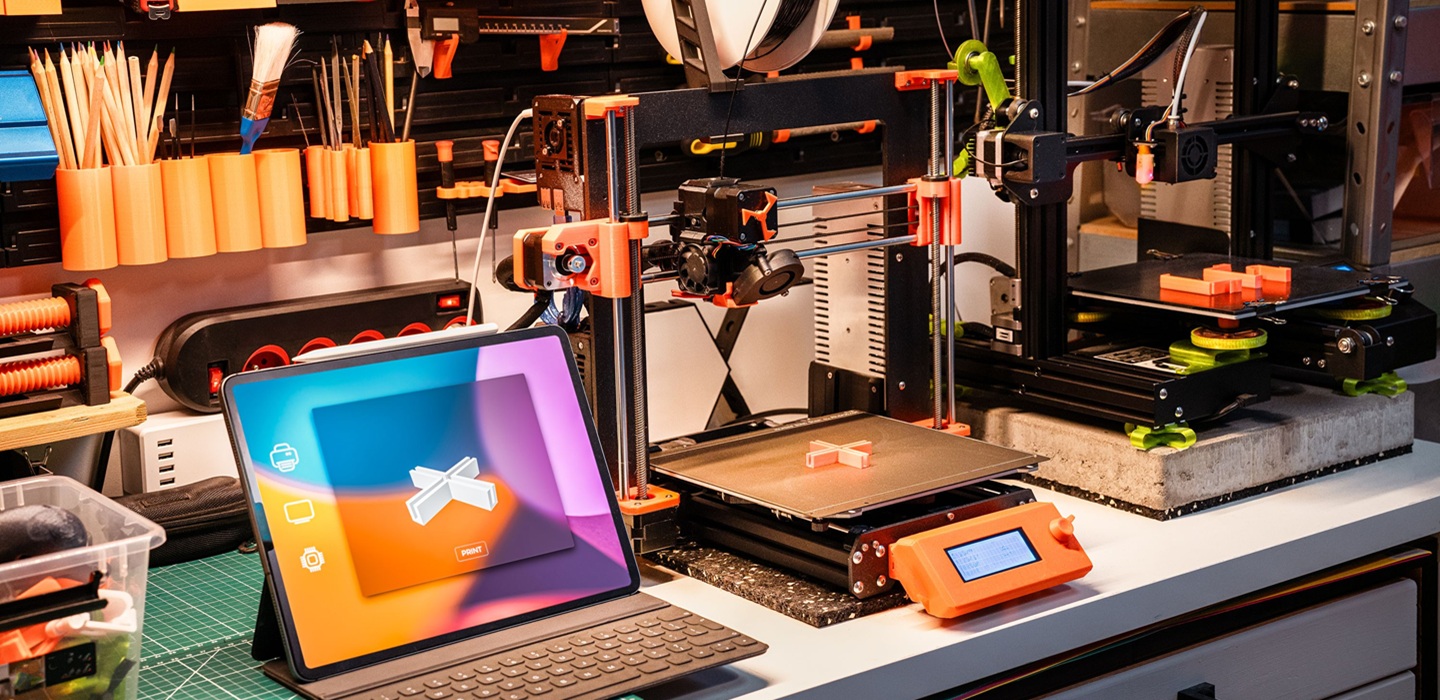
10 September 2026
Many beginners enthusiastically switch on their newly bought 3D printer, only to put it away on a shelf for good after a failed first print. It’s usually not the printer’s fault, but rather a few minor, easily avoidable mistakes made at the start. Here are some tips on how to get through your first few days with your 3D printer without getting frustrated.
Before you switch on the printer for the first time
When unpacking the printer, check whether the manufacturer has secured any moving parts for transport – any straps, tape and transport screws must be removed before first use, otherwise the mechanism may jam. Place the device on a stable, level surface, away from draughts and direct sunlight, especially if you have an open-frame model – fluctuations in room temperature affect print quality more easily than you might think.
Check that the table is level, even if it has automatic levelling
Automatic levelling measures and corrects any discrepancies on the build plate, but it does not replace an initial, physical check to ensure that the build plate and nozzle are close to the correct distance. Before you start your first print, follow the manufacturer’s instructions step by step – this usually involves checking the distance between the nozzle and the bed at several points using a sheet of paper. It takes just a few minutes, but saves hours of trial and error, Why doesn't the print stick?.
Print out a ready-made model before you design your own
First printout It is best to use a ready-made test project that has been verified by the community, rather than your own file. Such models are designed to highlight typical problems – overhangs, bridges, fine details – and allow you to assess, Is the 3D printer working properly?, before you invest time in something of your own. You can find printable models in free online design libraries such as Thingiverse and Printables.


The most common mistakes in first print runs
Most unsuccessful first prints are due to one of several common causes:
- a dirty or greasy table – even fingerprints can reduce the adhesion of the first layer;
- incorrect nozzle-to-table distance – if it is too great, the print will peel away; if it is too small, it will block the flow of material;
- too high print speed To start with – a slower first print gives you more leeway for errors;
- incorrect temperature for the material being used – Each filament has its own range, it is advisable to follow the values specified in the material manufacturer’s instructions;
- corner warping – common with larger, flat models, minimised by lining the table or using an enclosed structure.
If something doesn’t work straight away, it’s worth checking these five things before you assume the problem lies with the printer itself.
Basics of the print preparation programme
3D Model It must first be converted into instructions that the printer can understand – this is what a programme called a slicer does. To begin with, it is worth understanding three settings: layer thickness (a smaller number means a smoother but longer print), percentage of completion (which determines the material’s strength and wear) and support, which support overhanging parts of the model during printing. You can learn the rest of the settings gradually, starting by using the printer manufacturer’s default profiles.
Routine maintenance that prevents frustration
A few simple steps, carried out regularly, prevent most problems before they arise:
- cleaning the table before each print job,
- checking that the nozzle is not blocked by material residue,
- Regular checks on bolt tightness and belt tension.
It takes just a few minutes and reduces the number of failed print jobs caused by neglect of the equipment, rather than setting errors.
When is it your fault, and when is it a hardware issue?
The vast majority of initial problems are down to the settings, not a faulty printer – and that’s good news, because you can sort these problems out yourself. A sign of a genuine breakdown These tend to be: loud grinding noises from the motors, a failure to feed material despite the filament being loaded correctly, or an unstable, fluctuating temperature of the nozzle or build plate. In such situations, it is worth contacting the retailer or a repair service rather than blaming the settings.
Where can I buy the accessories I need for my first prints?
You don’t need to know straight away exactly what else you’ll need apart from the printer itself. Von Halsky, the shopping assistant in the InPost Mobile app, will search through the offers and suggest options tailored to your needs. Just describe what you’re looking for – for example, ‘a spatula for removing prints and isopropyl alcohol for cleaning the build plate’ – and By Halsky It will help you find and compare suitable offers. You can collect your purchases conveniently from a Paczkomat parcel locker or from an InPost courier, and if you need a moment to think it over, you can save the offers to your favourites and come back to them later.
 Dowiedz się więcej
Znajdź najlepsze oferty w kilka sekund z Von Halskim - asystentem zakupowym w apce InPost Mobile. Odkryj produkty dopasowane do Twoich potrzeb i oszczędzaj na dostawie.
Von Halsky węszy okazje. A Ty? Wiesz już, czego szukasz?
FAQ: Getting started with a 3D printer
Does the first print always go wrong?
Not always, but it’s common, so it’s worth starting with the finished test model, rather than your own design. This makes it easier to assess whether the problem lies with the settings or with the printer itself.
How long does it take to get to grips with a 3D printer?
It depends on how often you use it, but most basic issues – adhesion, temperature, speed – are sorted out within the first few prints, provided you check them one by one.
Do you need to know how to use 3D modelling software to start printing?
No. These will do for a start ready-made models from free design libraries. Modelling your own files This is a skill you can develop later, once you’ve got to grips with the printer.
Is it better to buy extra accessories straight away, or to buy them as and when you need them?
A few essentials – a spatula for removing prints and a cleaning solution for the build plate – are worth having from day one. The rest, such as tools for more advanced repairs, can be bought as and when the need arises.