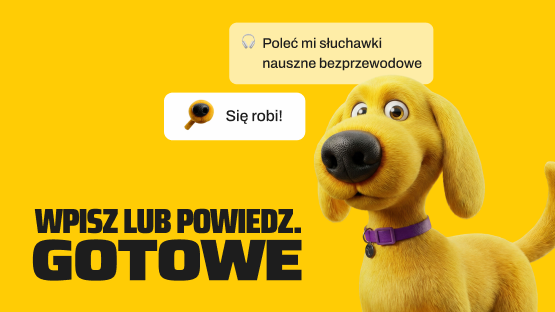
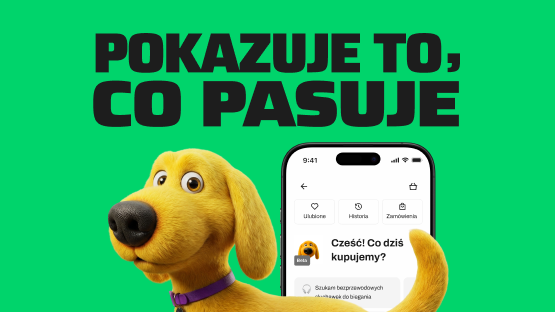
Von Halsky – how do you use it? A step-by-step guide
InPost Von Halsky

1 September 2026
If you haven’t yet used the shopping assistant in the InPost Mobile app, you might be wondering how to do so. Let’s go through it together: from the first time you open the app to collecting your parcel.
Where can you find Von Halski?
You don’t need to install any new features to launch the assistant. All you need is the latest version of the InPost Mobile app (minimum 4.13). Log in to your InPost account. Von Halsky is waiting for you on the main screen, in the ‘Shop’ tab with the dog icon. If you can’t see it, update the app from Google Play or the App Store.
The service is free of charge and available to all users of the app. An interview with Von Halski You can start at any time.
How should one speak to Von Halski?
You can talk to the assistant in natural language - just like with a good friend. You don’t need to enter specific search terms or know the name of the shop or product. Von Halsky understands the context of the query. Please describe your enquiry in writing in the chat window or by voice, after clicking the ‘wave’ icon in the bottom right-hand corner of the screen.
For example:
- "I need some lightweight running shoes";
- "I'm looking for a present for a coffee lover for up to 150 zł";
- "Which blender is best for smoothies?"
The more precisely you describe what you’re looking for – for example, by specifying your budget, the intended use or your preferred style – the more relevant suggestions you’ll receive. During the same conversation, you can ask for further details about the offers, narrow down your criteria or sort the products from the cheapest. Voice conversations work in the same way as text commands.
What should you do with the search results?
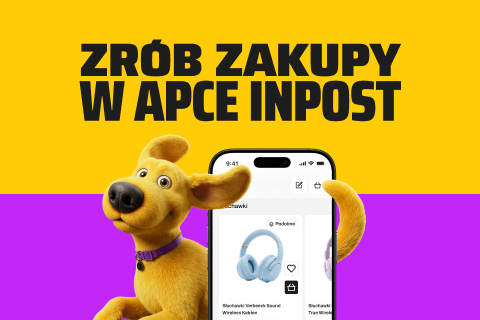
Following your enquiry, Von Halsky will display relevant suggestions in the form of a product carousel. You can:
- add the selected product to your basket,
- save it for later by clicking the 💛 icon,
- ask your shopping assistant to compare, filter or sort the offers.
Look out for the ‘Great Value’ label – this highlights offers at competitive prices.
Does Von Halsky know the details of the products?
Yes, the shopping assistant uses the information contained in the offer. They will check for you how the products differ from one another and advise you on which one best suits what you’re looking for. You could ask him, for example, about the differences in price and the key specifications.

How do I place and collect my order?
You can complete your purchase easily in the InPost Mobile app. Pay for your order using your chosen method, e.g. by card, BLIK, Apple Pay or Google Pay. You can check its status in the ‘Orders and payments’ tab.
You can collect your parcel from a Paczkomat, at a PaczkoPunkt or at the address you specify – if you choose delivery by InPost courier. You select the delivery method when finalising your order.
Additional benefits when shopping with Von Halski
Until 30 September 2026, when shopping with Von Halski, you can take advantage of free delivery via a parcel locker from 59 zł and by InPost courier from 99 zł (for parcels up to 30 kg).The free delivery threshold is calculated separately for each seller. Returns via Paczkomat are free of charge – you can use this service as often as you like, regardless of the value of your basket.
Check the free delivery terms and conditions:
| Benefit | Condition |
|---|---|
| Free delivery via Paczkomat | orders from 59 zł from a single seller |
| Free delivery via InPost courier | orders from 99 zł, parcels up to 30 kg |
| Free returns via parcel lockers | unlimited |
Is it possible to clear the chat history?
Yes. You can delete saved chats at any time in the ‘History’ tab. This won’t affect your orders or saved products – only the selected chat will be deleted.
How do I go back to a previous conversation?
In the ‘History’ tab, you’ll find previous conversations with Von Halski. Select the thread you’re interested in and return to your search at any time. This is useful if you want to think over a purchase and leave the decision until later.
 Dowiedz się więcej
Znajdź najlepsze oferty w kilka sekund z Von Halskim - asystentem zakupowym w apce InPost Mobile. Odkryj produkty dopasowane do Twoich potrzeb i oszczędzaj na dostawie.
Von Halsky węszy okazje. A Ty? Wiesz już, czego szukasz?
How do I return a product?
You can request a return via the InPost Mobile app. You don’t need a printed form for this.
Step-by-step guide:
- Open the ‘Orders and payments’ tab. You’ll find your purchase in the ‘Recent orders’ list.
- Go to the order details and select the ‘Withdraw from the contract’ option.
- Tick the items you wish to return and state the reason for the return.
- Select a delivery method and confirm your withdrawal from the contract.
You don’t need to print a label. You can post your parcel via a Paczkomat or PaczkoPunkt using the returns code or QR code. You can check the status of your return in the ‘Orders and payments’ section.
Have a go at chatting with Von Halski
Are you curious to find out how shopping with an assistant works in practice? Select ‘Shop’ on the home screen of the InPost Mobile app and describe what you’re looking for. You can specify a particular product or start with a general idea. See what Von Halsky has in store for you!