
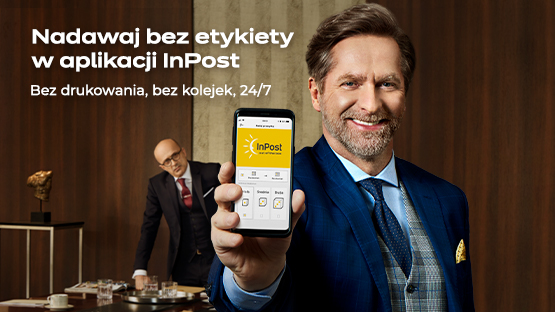
Send straight from the InPost Mobile app! Send a parcel from a Parcel Machine without printing a label and 24/7

18 December 2020
 Send parcel
 Parcel to be sent? Send it quickly and conveniently via any Parcel Machine®.
A few moments and the package is posted!
This is the first mobile service of its kind on the market!
It's a GAME CHANGER - these are certainly the words to describe the label-free sending that has just landed in our app. Yes, that's right: from now on, you can send parcels using InPost Mobile! This is the first such mobile service on the market. The functionality is available with the latest version of the app (3.0.0).
Announcing the launch of a new service is always a special moment for us. Our new service means that sending parcels will be even easier and more enjoyable. We are introducing the possibility of sending in InPost applications Mobile in pilot form, but we guarantee that sending a parcel in the InPost Mobile app will already be extremely easy and fast. Most importantly - you can send parcels 24/7, without printing or sticking a label on the parcel. This is fantastic news for all Parcel Post enthusiasts who like to send conveniently, without queues and at any time.
You will pay for sending in the app, in a pilot phase, using the convenient BLIK payment. Why BLIK? It is by far one of the best and most convenient forms of mobile payment. All you need is a 6-digit code and you're done! In the coming months, we will gradually expand the payment options, as well as introduce new functionalities for in-app sendings.
Want to send a parcel without a label using InPost Mobile? The entire process can be completed in just a few steps:
-
Pack your pack
Ensure that your parcel is adequately secured and measure its size. There are three sizes of boxes to choose from. Below is a brief overview of what you can send in each size:
- Size XS (4 x 23 x 40 cm), maximum weight: 3 kg. The size is only available in the InPost Mobile app.
In this size you will send, for example, a CD, phone accessories or jewellery.
-
Gabaryt A (8 x 38 x 64 cm)
In this size you will send, for example, smaller clothes, electronic devices or a few books.
-
Gabaryt B (19 x 38 x 64 cm)
In this size you will send, for example, shoes, cosmetics or larger clothes.
-
Gabaryt C (41 x 38 x 64 cm)
In this size you will send, for example, a coffee machine, a printer or a games console.
-
In the application, in the bottom menu, select the central icon with the arrow (Send)
Select the shipping method of your choice (you can send from a Parcel Machine to a Parcel Machine or from a Parcel Machine to a designated home/business address) and then complete the required recipient and sender details. Your telephone number will fill in automatically!
-
Pay shipping
Once you have completed the information, you will be redirected to payment - choose the most convenient method for you. Once your payment is complete, you will see a 9-digit sending code and QR code in the app. You will also receive the tracking code in the email. Remember, you no longer need to stick any label or put the tracking code on your package.
-
Post to Paczkomat or Parcel Post
Go to any Parcel Machine/Parcel Post with the prepared parcel. In the reader at the Parcel Machine scan the QR code from the app or on the Parcel Machine screen select "I have a send or return code" and enter your details - the box will open automatically! Now place the package in the locker.


We are growing all the time because we want to deliver the best possible service to our customers. Introducing parcel delivery into the app is another step we have taken to make parcel delivery and everyday use of Parcel Machines even more convenient.
Be sure to try out the new option in the InPost Mobile app! Don't have it on your phone yet? Download it from the official Google Play, App Store and Huawei AppGallery shops.


