
Remote opening in InPost Mobile, i.e. we answer the 10 most important questions
10 February 2020
Have you heard about our new app InPost Mobile with remote box opening? It's a great solution for those who don't like to waste time standing in queues and value the convenience of tracking parcels and the speed of collection. We want to make using the app's unique features as easy as ever - we have prepared answers to the 10 most popular questions about our 'app' for you.
 Download InPost Mobile
Discover what our app can do – remote parcel pickup, extending pickup time, redirecting parcels, and so much more. Sounds good?
With the InPost Mobile app, you have everything close at hand.
But before we get into the substance, we would like to boast about the great results in the Google Play and App Store. For the past few weeks, we have consistently ranked at the top of the 'smartphone shops'. We are proud that our new app is so popular and thank you for your trust!
And here are our answers to the questions you ask us most often:
1. do I accidentally open the cache remotely?
No, this is not possible. Our app uses a GPS satellite navigation system - this means that if you are not in the vicinity of your Parcel Post, the remote opening function will not work. In addition, you will need to confirm receipt of your parcel remotely in two stages.
2. how close do I have to be to the Parcel Machine for remote opening to work?
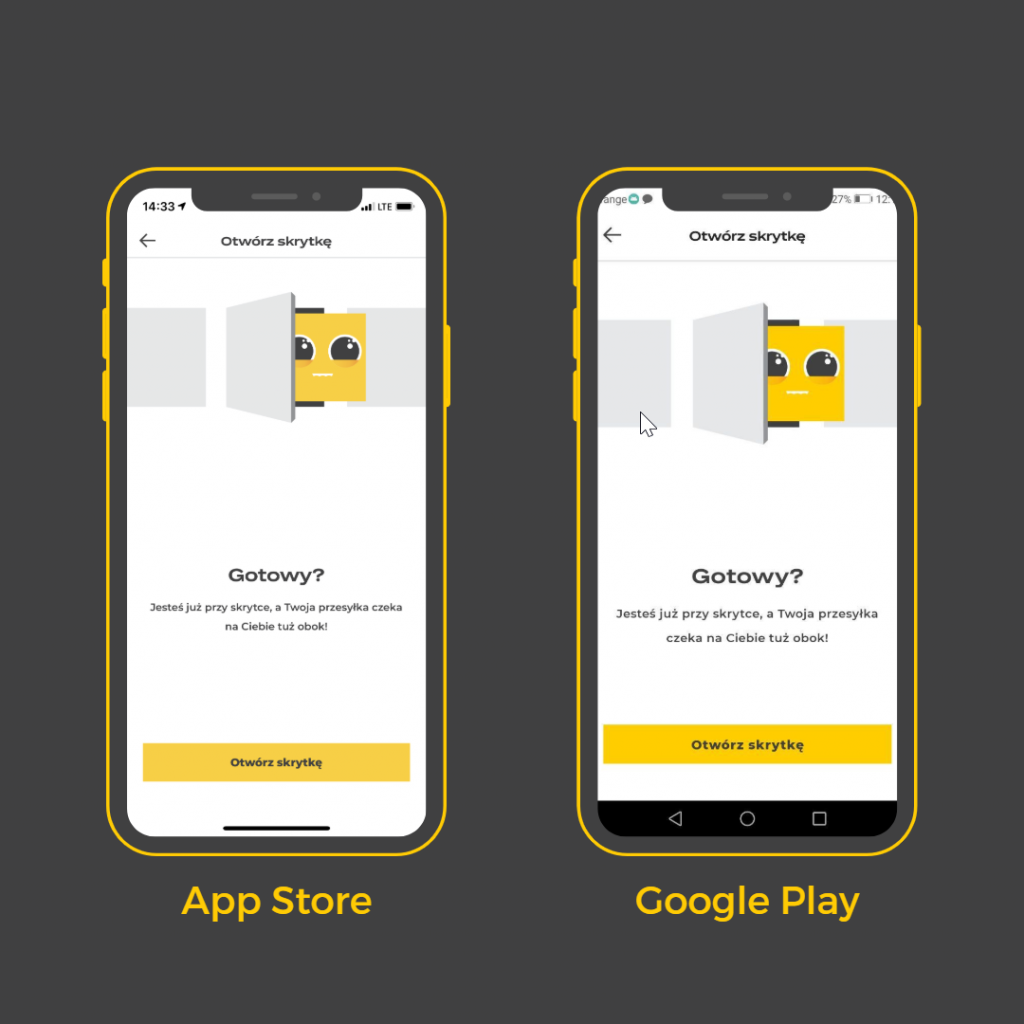
To open the box remotely, you must be within 10 metres of your chosen Parcel Machine.
3. Can several people pick up parcels at the same time?
No, there is no possibility that several caches will open at the same time. Our system queues remote opening commands and creates a 5 second buffer between openings.
4 Does the app show which locker will open?
Yes. The app will show you exactly where your parcel locker is located. A corresponding message with the coordinates of the cache will appear on your phone screen.
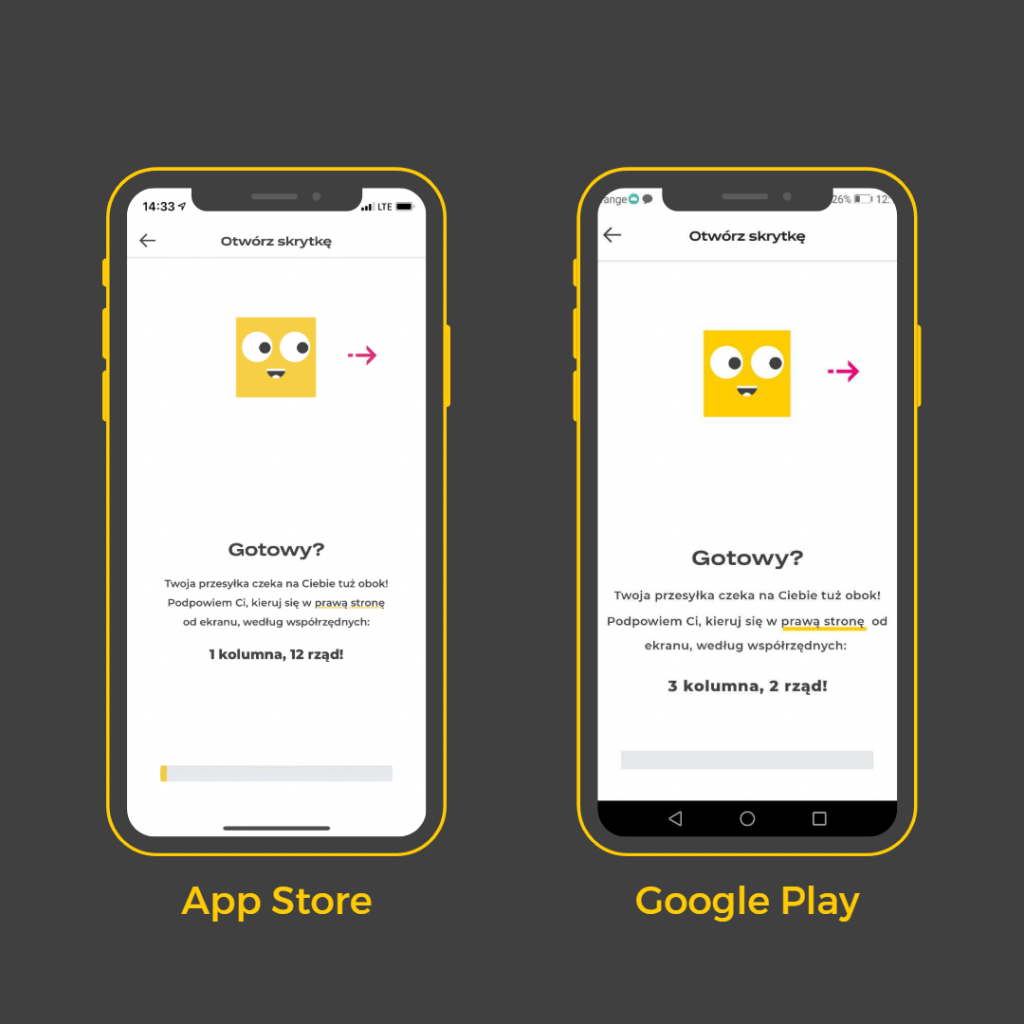
5 Do I need to share a location to open a locker remotely and why?
Yes, if you wish to receive shipments remotely, you must share your location. This is necessary for security reasons and for the proper functioning of the service. We use a GPS satellite navigation system to determine how far you are from the Parcel Machine.
6. does remote opening work at every Parcel Machine?
The Remote Box Opening function works in 95% of our Parcel Machines.
7. do I have to approach the control panel/screen of the Parcel Machine if I want to open the box remotely?
You don't have to walk up to a Parcel Machine switchboard to pick up your parcel. All you need to open the box is a mobile app and the right distance - you need to be within 10 metres of the Parcel Machine.
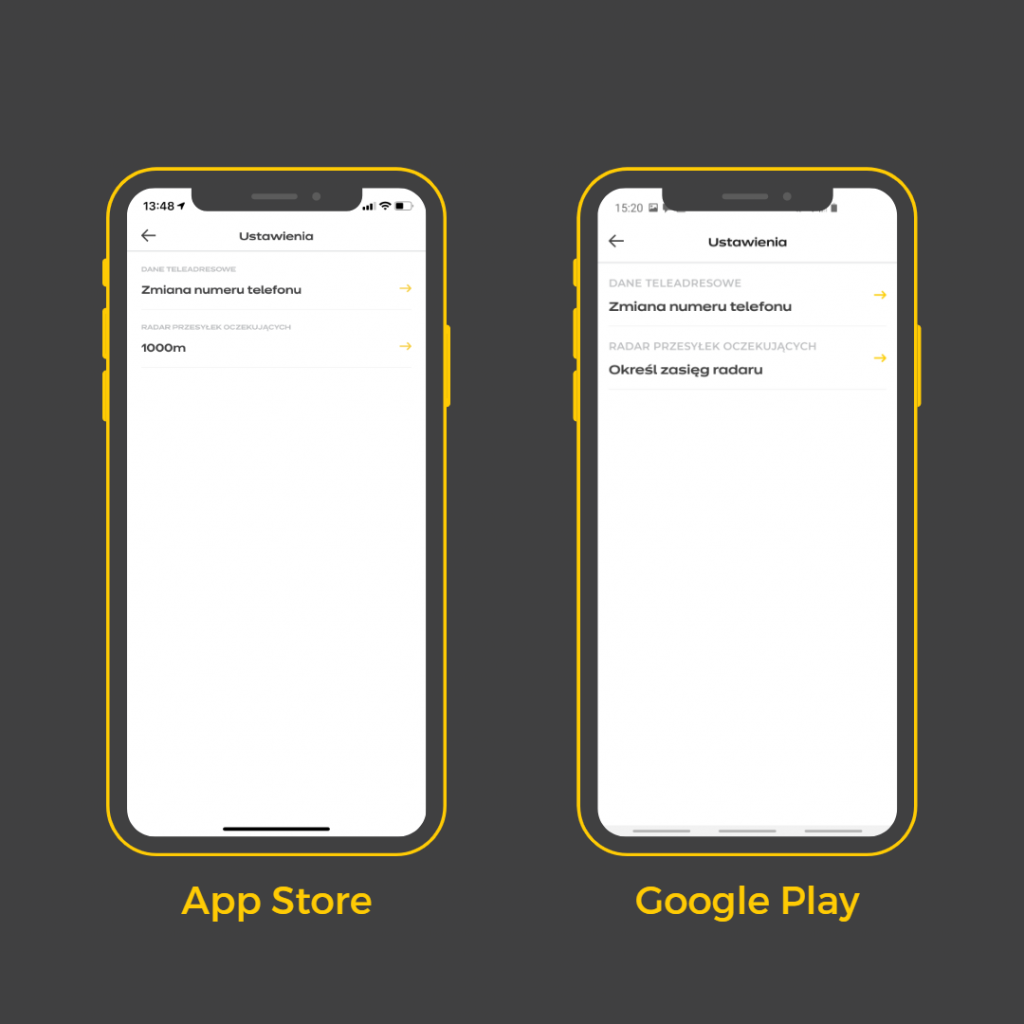
8 How does the radar work in the InPost Mobile app?
This feature allows us to remind you that you are near a Parcel Post where your parcel is waiting. To deactivate the geofencing function or change its range, go to MENU → Settings → Waiting Parcel Radar.
9. why don't I get notifications of delivered packages?
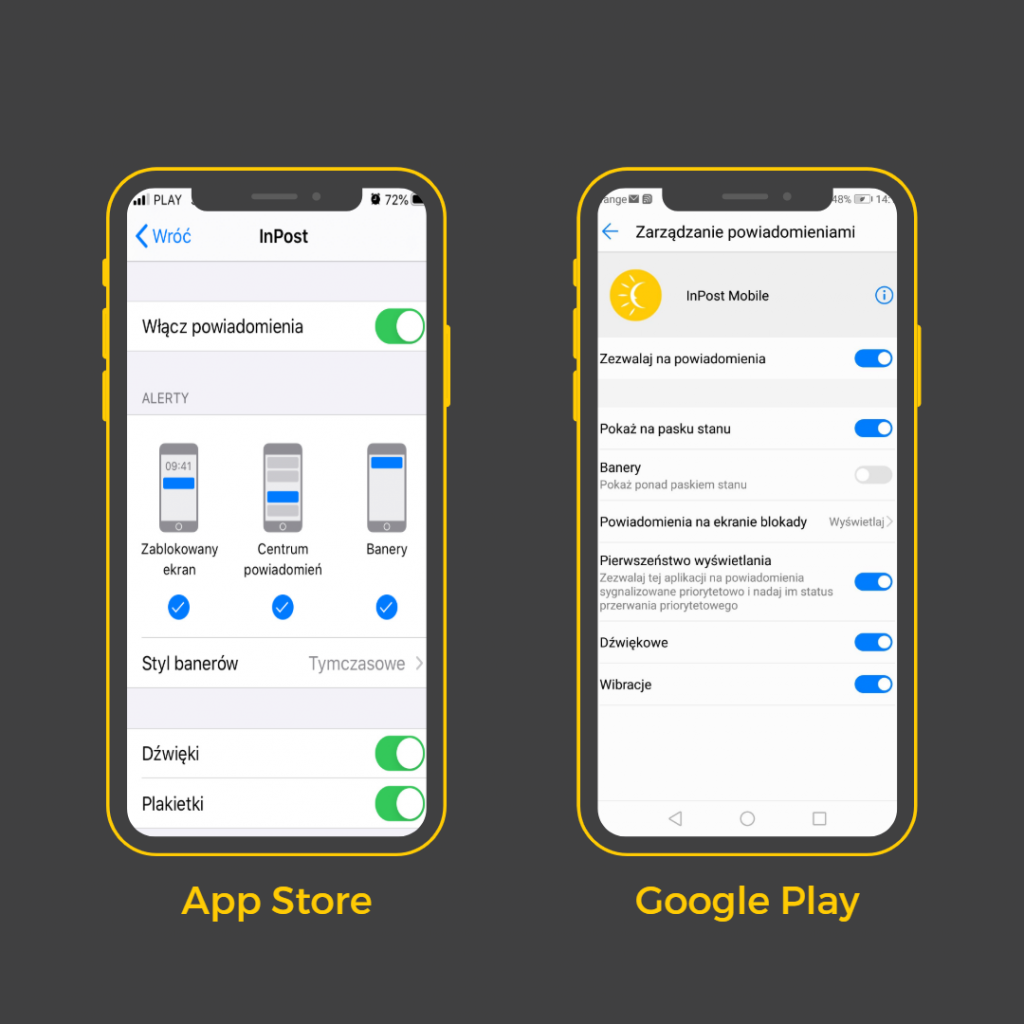
All you have to do is find InPost Mobile in the list of apps and turn on receiving notifications. How do you do this? Depending on your system:
iOS: Settings → Notifications → InPost Mobile
Android: Settings → Applications and notifications → Notification management → InPost Mobile
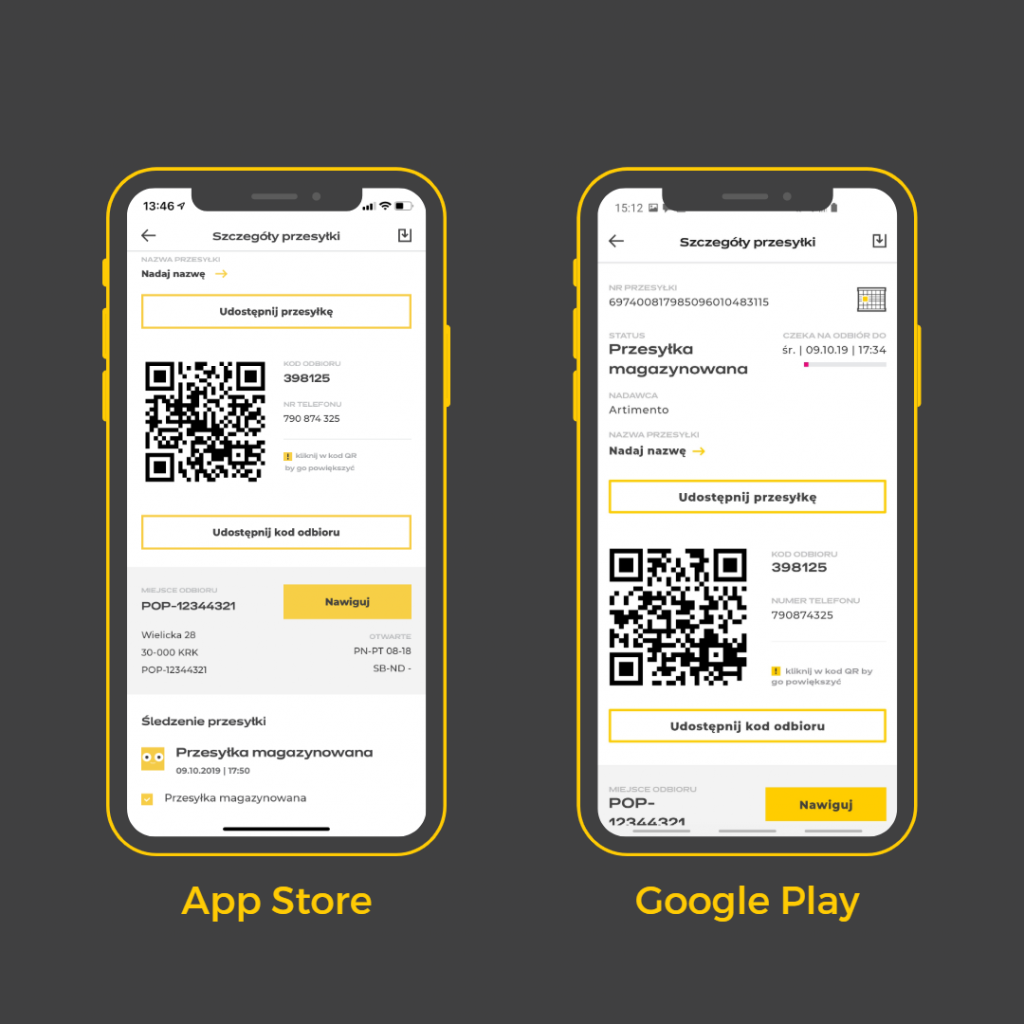
10. can I access QR codes from the InPost Mobile app?
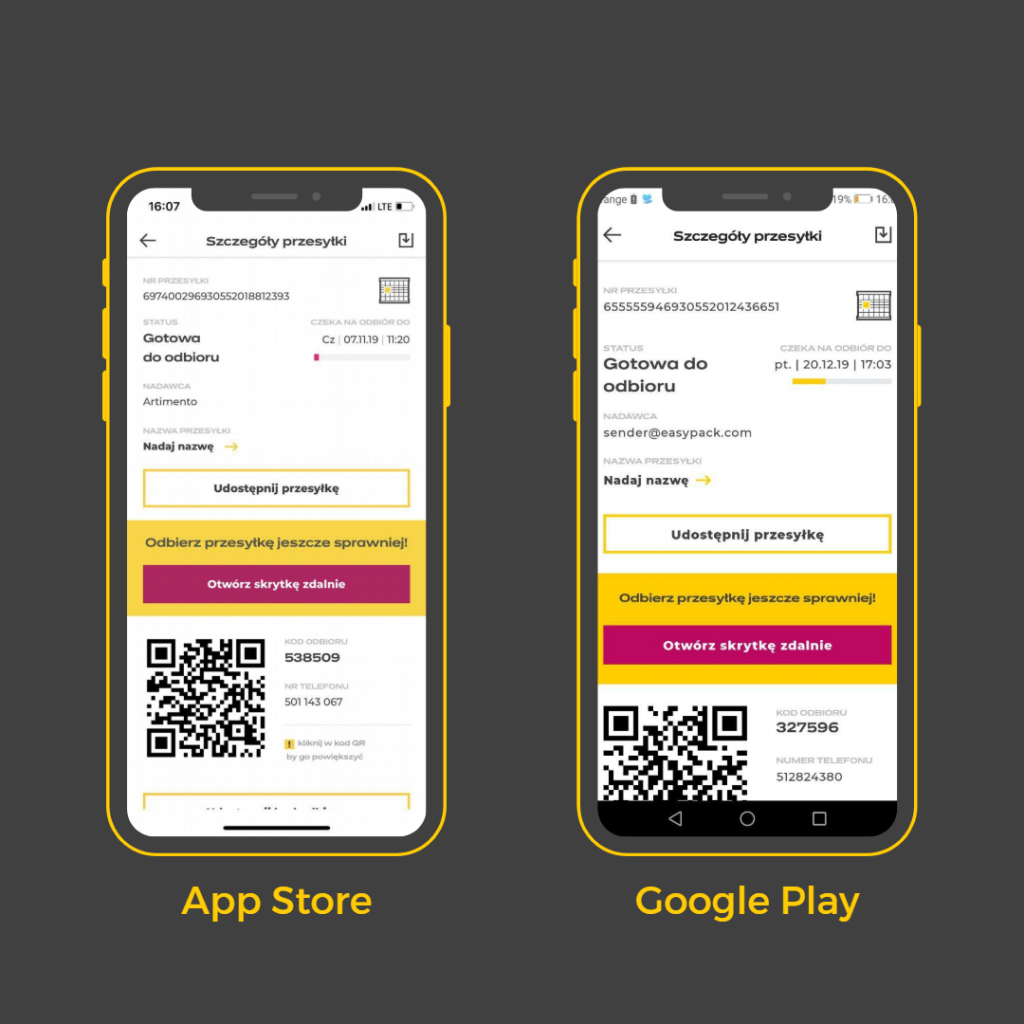
Yes, you can use QR codes in the mobile app. Please note that you will get the greatest effectiveness from a QR code if it is enlarged. Click on the QR code located in the shipment details next to the collection code (it will appear enlarged on a black background).
Are you experiencing problems with the remote opening function or the operation of the mobile app? Depending on the operating system you are using, please email us:
- googleplay@inpost.pl - for Android systems
- appstore@inpost.pl - for iOS systems.
You can also visit our website Contact and assistance where we answer the remaining questions - www.inpost.pl/kontakt.
As a reminder, the original app is only available for download in shops App Store in Google Play.
If you don't already have it on your phone, we encourage you to do so, because it really is worth it!


